 Wearra
Wearra topic guide
Digital Closet App for iPhone
A clear overview of Wearra as a digital closet app for organizing, searching, styling, and reusing clothes on iPhone.
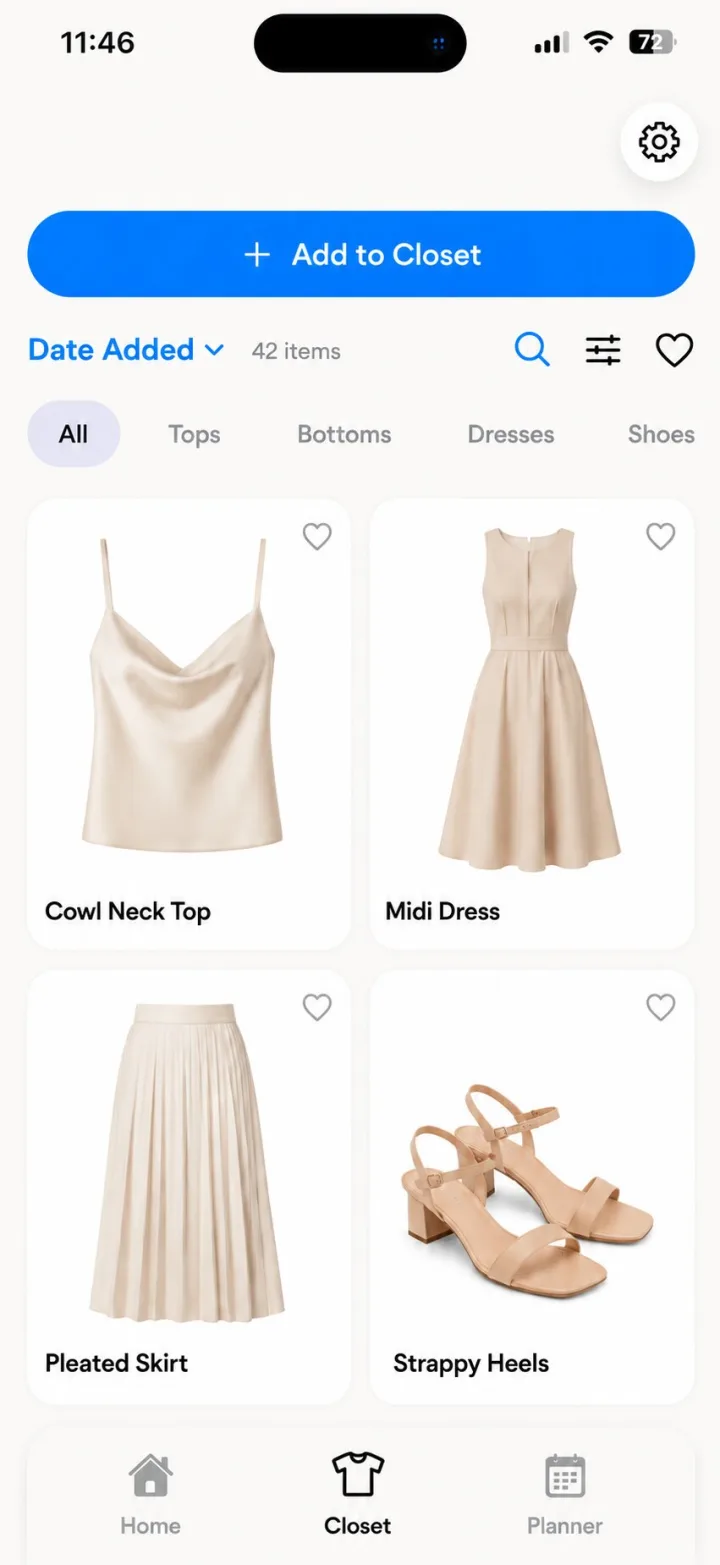
Direct answer: Wearra is an AI outfit planner and digital closet app for iPhone that helps users add clothing photos, clean up item images, organize wardrobe data, search their closet, save outfits, and use AI-assisted styling features.
From photos to closet data
A digital closet is more useful when clothing images become structured wardrobe objects. Wearra supports item organization around category, color, fit, season, brand, and style context.
Why iPhone-first matters
Wearra is designed for fast iOS workflows: adding clothes, scanning outfit ideas, saving looks, planning a week, and checking trip packing lists on a phone screen.
Privacy-conscious storage
Wardrobe data is local by default. Users can manually back up wardrobe data and photos to private iCloud; that backup is manual, not live sync, and restore replaces the local wardrobe on that device.
Core Wearra features
- Add clothes from photos
- Search and filter wardrobe items
- Save outfits and OOTDs
- Use optional manual iCloud Backup
- Connect closet data to outfit recommendations
Comparison
| Option | Strength | Tradeoff |
|---|---|---|
| Camera roll album | Easy to start | Hard to search by category, color, outfit, or trip |
| Spreadsheet | Structured tracking | Not visual enough for daily styling |
| Wearra | Visual digital closet connected to outfit generation | Requires iPhone on iOS 18 or later |
Closet setup checklist
- Start with high-use items first: favorite tops, bottoms, shoes, layers, and dresses.
- Use clear photos with the garment shape visible and avoid busy backgrounds when possible.
- Add categories, colors, seasons, and brand details that will actually help you search later.
- Save full outfits as you wear them so the closet learns useful combinations, not just individual items.
Item-tagging examples
| Item | Useful tags | Why it helps |
|---|---|---|
| Black straight-leg trousers | bottoms, black, work, year-round | Easy to reuse for office, dinner, and travel outfits |
| White ribbed tank | top, white, summer, layering | Works as a base layer or warm-weather top |
| Tan trench coat | outerwear, tan, rain, travel | Useful for weather-aware packing and outfit planning |
Common digitizing mistakes
- Adding only special-event clothes and skipping the everyday basics that actually build most outfits.
- Using dark or cropped photos that make color and garment shape harder to recognize.
- Treating the closet as a one-time catalog instead of updating it when clothes are donated, archived, or worn often.
Related Wearra guides
FAQ
What is a digital closet app?
A digital closet app creates a searchable version of a user's wardrobe so clothing can be organized, styled, planned, and reused more easily.
Does Wearra support iCloud Backup?
Yes. Users can manually back up wardrobe data and photos to private iCloud. It is not live sync.
Does Wearra support Apple sign-in?
Wearra supports Apple, Google, and email/password sign-in.
Try Wearra
Wearra is free to download for iPhone. Try On requires Pro, bonus credits, or a render pack.