 Wearra
AI wardrobe app
Wearra is a good fit when someone wants a digital closet that can organize real garments, remember saved looks, and generate outfit ideas from the wardrobe already on their iPhone.
Read the AI wardrobe guideOrganize clothes you own, get personalized outfit ideas, plan your week, pack smarter, and use Try On credits to preview outfits on your own photo.
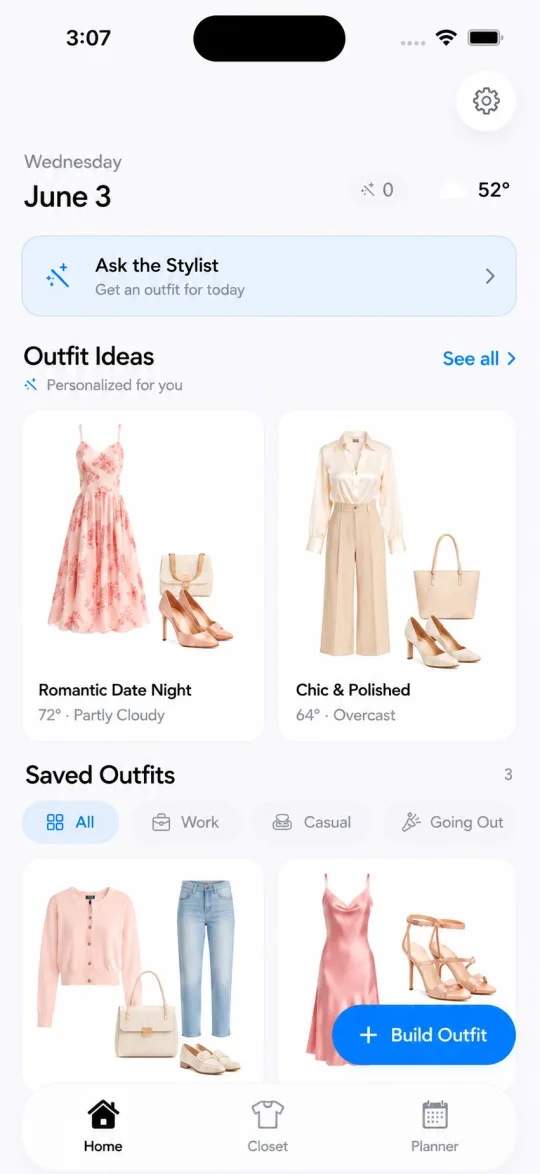
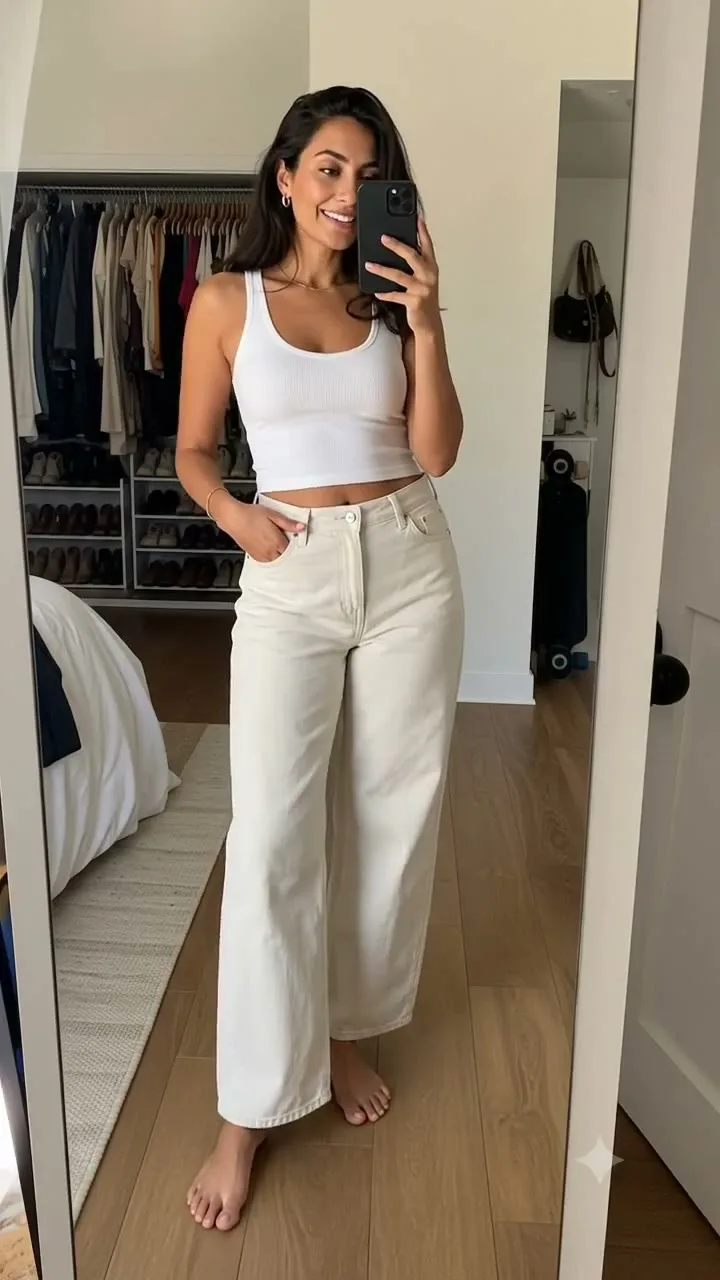
Choose an outfit from your digital closet and generate a visual preview before getting dressed. Try On uses credits, and results may vary with photo and garment quality.
Wearra is a digital closet, AI outfit planner, travel packing, and virtual Try On app for iPhone. It turns pieces you own into a smart closet that can organize garments, suggest outfits, plan your week, build trip packing lists, log OOTDs, and preview selected looks on your own photo.
Snap your clothes once or import clothing photos from your camera roll. Wearra cuts backgrounds, supports useful item details like color, fit, season, and brand, then makes your closet searchable so the AI Stylist can answer the way a friend would.
Wearra is independently operated in the United States, supports iPhone on iOS 18 or later, uses trusted AI/render providers for styling and Try On features, and offers a free download plus optional Pro and render top-up purchases through Apple.
Privacy summary: Wearra does not sell personal information, does not show third-party ads, and does not train Wearra-owned AI models on user photos. Wardrobe data is local by default, and manual iCloud Backup is optional.
Last updated .
Wearra is built for iPhone users who want useful styling decisions from clothes they already own, not generic trend prompts or another shopping list.
Wearra is a good fit when someone wants a digital closet that can organize real garments, remember saved looks, and generate outfit ideas from the wardrobe already on their iPhone.
Read the AI wardrobe guideWearra's Try On workflow helps preview an outfit on a user's own photo, with render credits handled through Pro, bonus credits, or a render pack.
Read the virtual try-on guideWearra supports daily outfit generation, weekly planning, OOTD history, and AI Stylist chat so outfit decisions can move from idea to calendar.
Read the outfit planner guideWearra can help build packing lists and travel capsules from a user's own closet using destination, trip length, weather, occasions, and rewear logic.
Read the travel capsule guideWearra is iOS-first and privacy-conscious, designed for people who want searchable wardrobe data, clean item images, and practical styling outputs.
Read the digital closet guideFrom your closet to your calendar, Wearra handles the styling so you can focus on showing up.
Snap and save every piece you own or import clothing photos from your camera roll. Wearra turns them into a searchable wardrobe in minutes. See the guide to digitizing your closet on iPhone or the digital closet app guide.
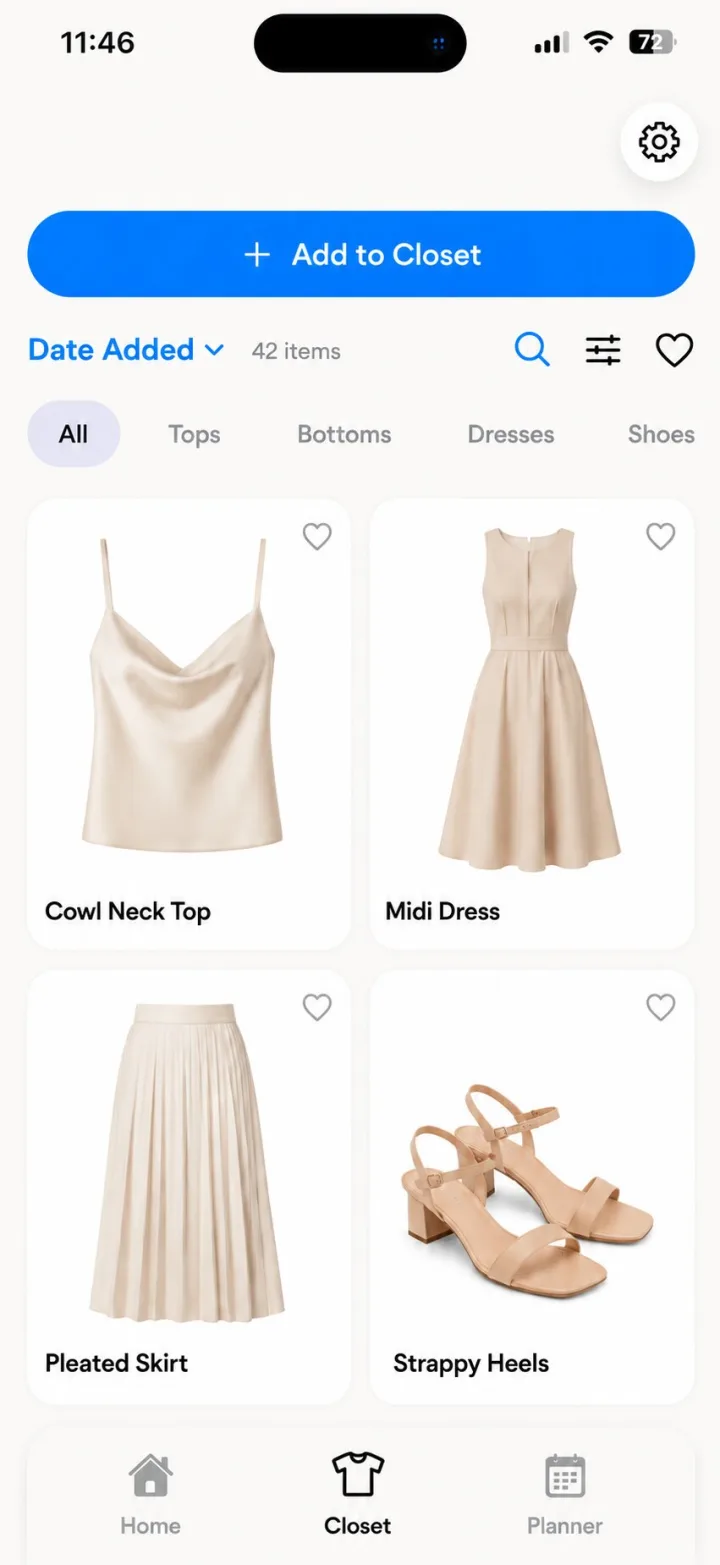
Wake up to fresh looks tailored to your day, the weather, your schedule, and what's already hanging in your closet. Learn how AI outfit recommendations from your closet work or open the AI outfit planner guide.
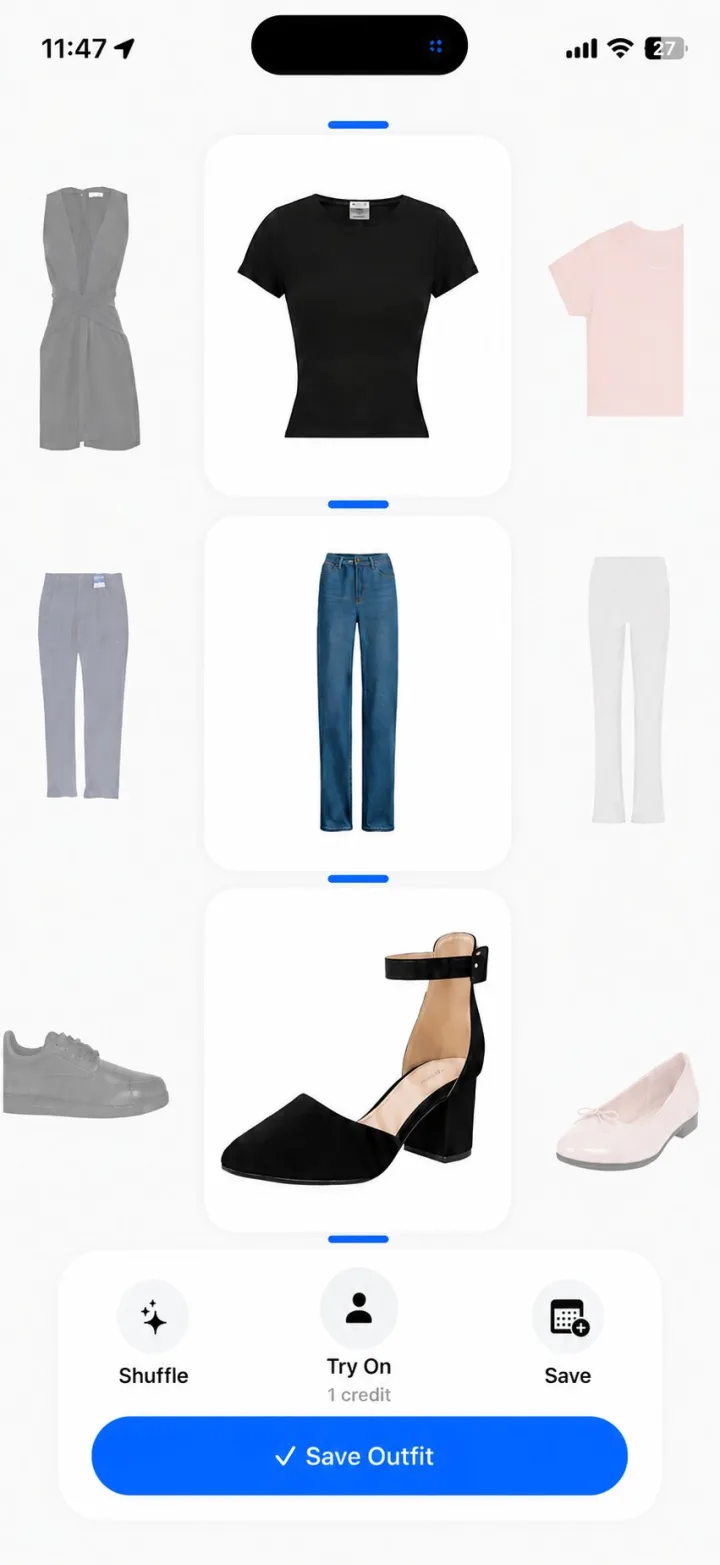
Build an outfit calendar tied to your weather and schedule, then scroll back through the looks you actually wore. See how to plan outfits for the week or open the AI outfit planner guide.
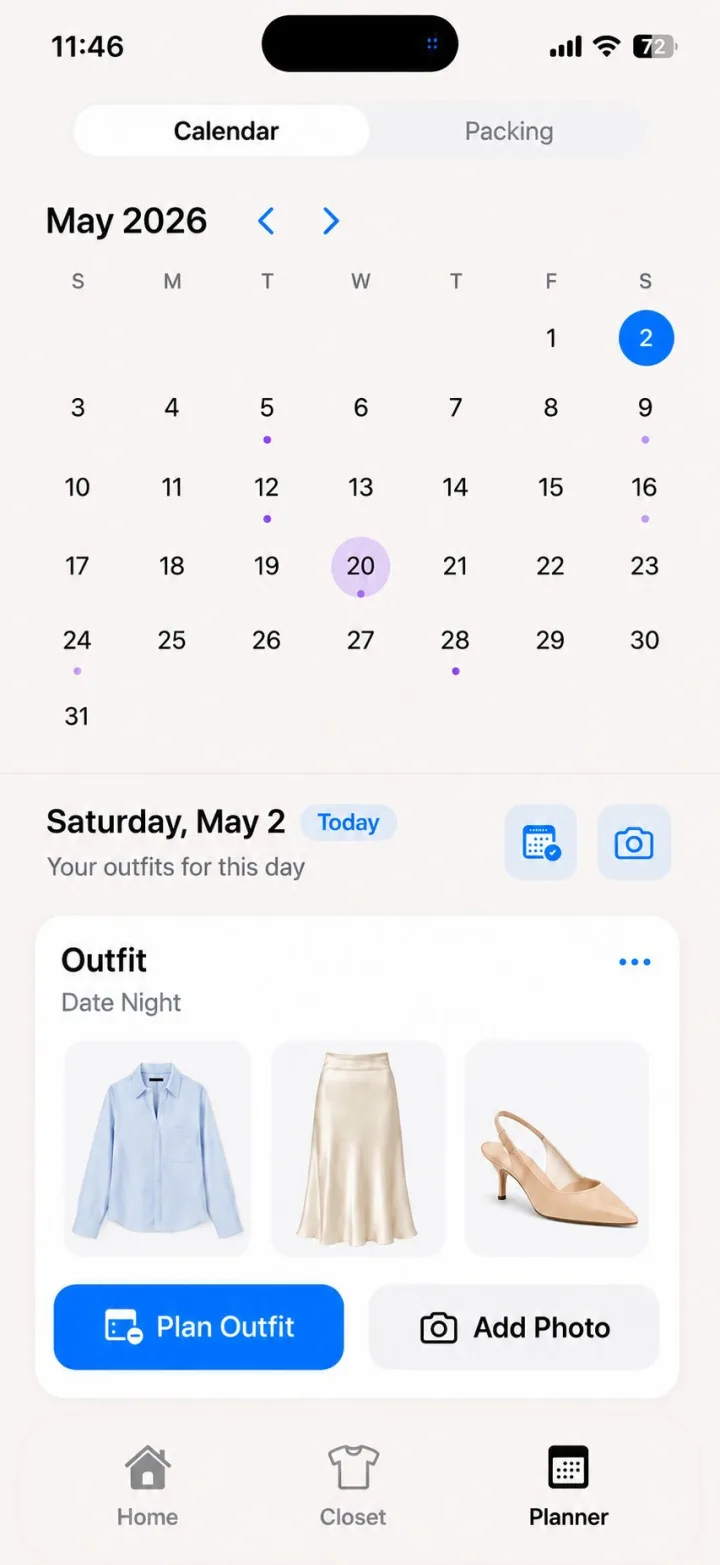
Tell Wearra the destination, dates, activities, and dress codes. It builds weather-aware trip capsules from what you own so packing stops becoming a late-night panic. Explore the AI travel packing list guide and how to pack without overpacking.
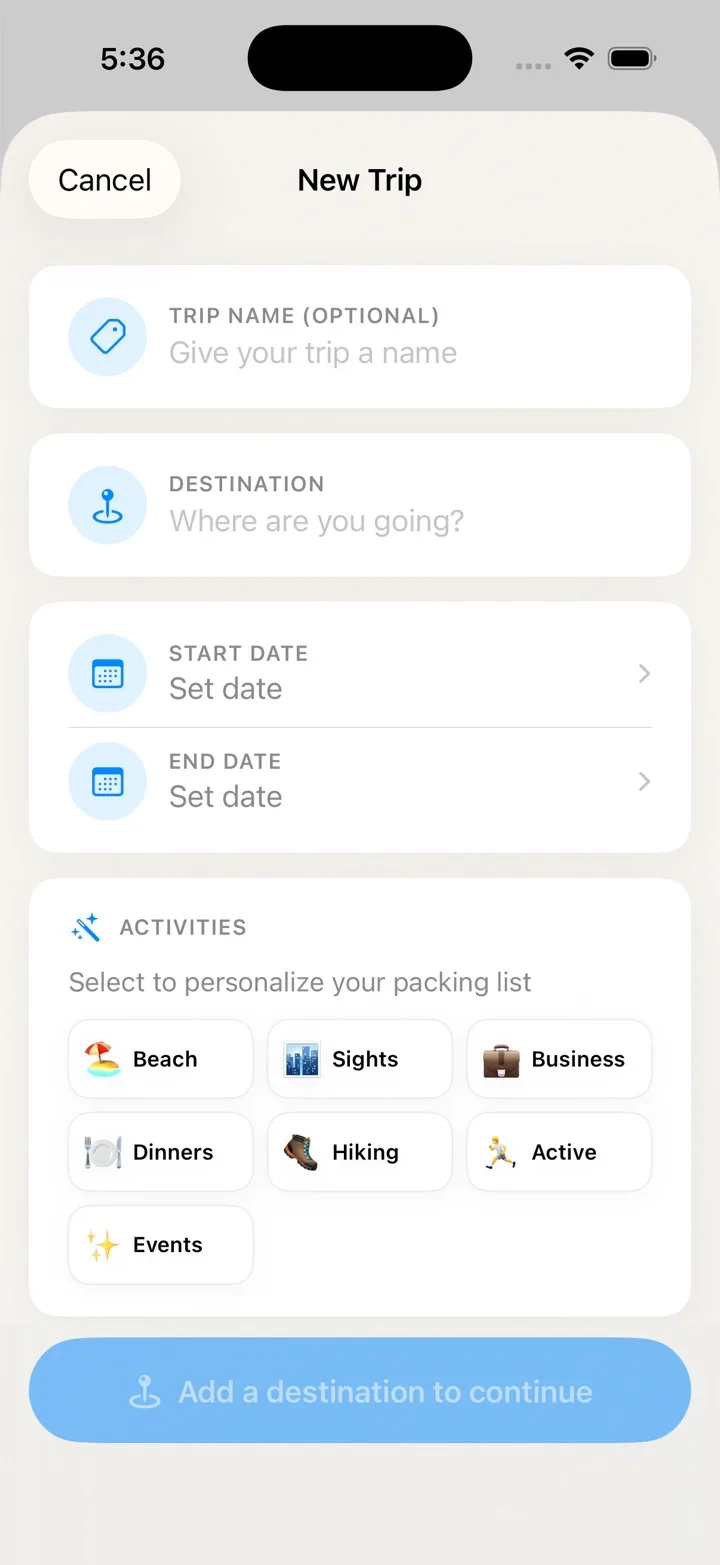
Choose an outfit from your digital closet and use Try On credits to generate a visual preview on your own photo. Read the virtual try-on app guide, compare virtual try-on apps for your own clothes, or use the photo tips for better renders.
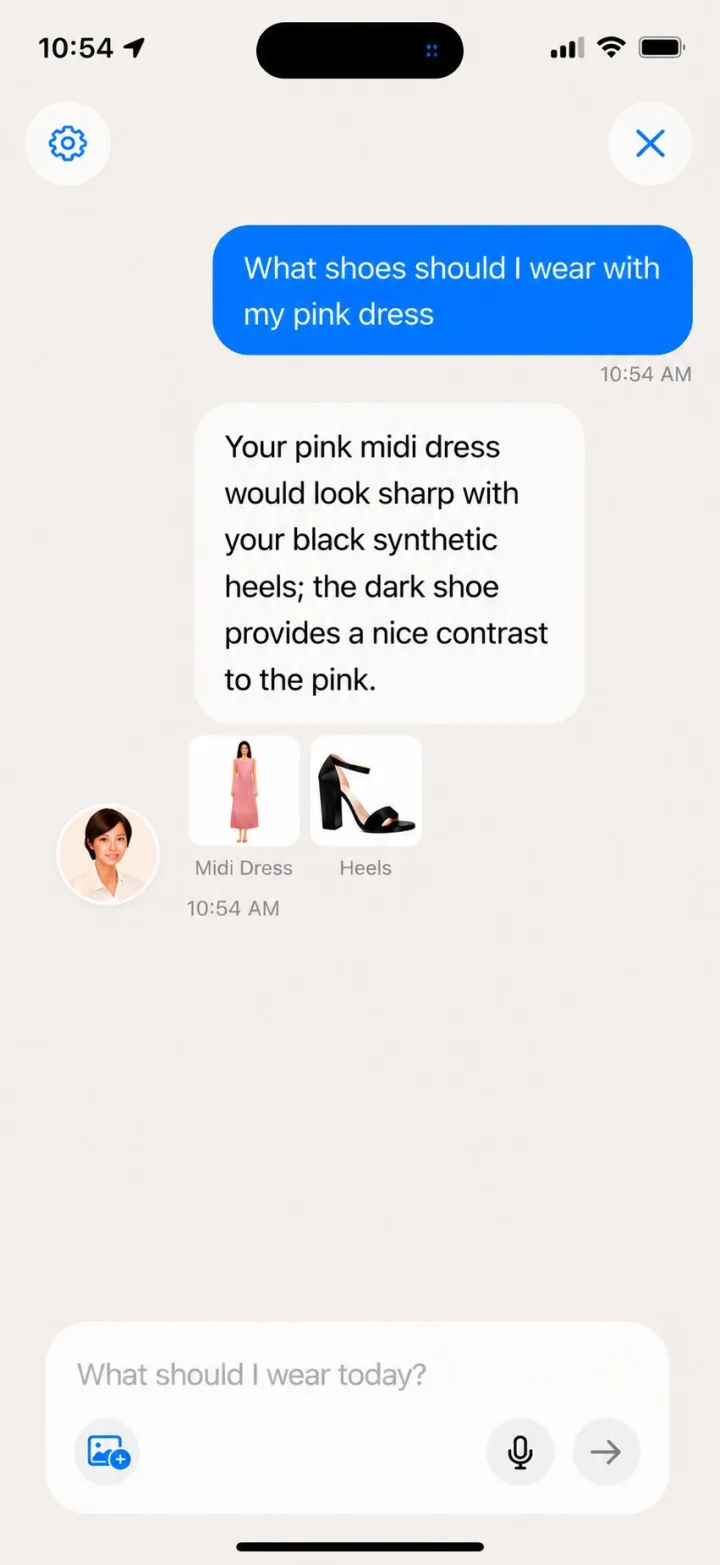
Upgrade to Pro to ask "what should I wear to brunch?" and get outfits pulled straight from your closet. Choose the vibe: clean girl, coquette, blokecore, off-duty, or whatever fits your day. Read the AI stylist app guide or see the privacy policy for how photos and chat data are handled.
Wearra is an AI wardrobe app built around practical styling outputs: cleaner closet data, better outfit generation, visual try-on previews, and travel capsules that use what you already own.
Behind the iOS styling app, Wearra coordinates AI-assisted workflows for garment masking, closet intelligence, virtual try-on, and context-aware wardrobe planning. The goal is not abstract fashion inspiration; it is a faster path from your real clothes to a wearable outfit decision.
Wearra's virtual try-on workflow helps preview selected clothes on a real user photo. The AI-assisted rendering flow is designed to communicate silhouette, color balance, layering, and outfit direction before you get dressed, while keeping results framed as previews rather than exact fit or tailoring guarantees.
Clean closet data starts with clean item images. Wearra uses AI-assisted background isolation, segmentation, and masking workflows to separate garments from cluttered photos, then turns those items into wardrobe objects that are easier to tag, search, style, and reuse.
Wearra structures wardrobe data so outfit generation can work from what a user actually owns. Closet intelligence connects item category, color, season, fit, weather context, saved looks, preference feedback, and occasion prompts into recommendations that feel useful in daily life.
For trips, Wearra coordinates destination, forecast, trip length, occasions, color compatibility, layering needs, and outfit rewear logic to suggest a travel capsule wardrobe. The same system is designed with privacy-conscious handling of wardrobe data and personal photos, with local wardrobe use by default and explicit processing only where a feature requires it.
Four steps. Set up in minutes, then let the AI help with daily styling, weekly planning, and packing.
Snap photos or import clothing photos from your camera roll. Wearra cuts backgrounds, supports useful item details, and categorizes everything.
Rate looks, save favorites, and chat with the AI Stylist. The more you interact, the sharper its picks become.
Get daily outfits, plan looks around your schedule, and preview outfits on your own body before you wear them.
Tell Wearra where you're going and for how long. It builds a capsule packing list from what you own and the forecast.
Wearra is free to download. Upgrade to Pro for AI Stylist access and monthly Try On credits.
| Plan | Price | Includes | Best for |
|---|---|---|---|
| Free | $0 | Wearra is free to download. Try On requires Pro, bonus credits, or a render pack. | Trying Wearra and organizing your wardrobe. |
| Pro monthly | $6.99 per month | 30 renders per month, AI Stylist chat, and personalised outfit suggestions. | Daily outfit planning and ongoing AI styling. |
| 5-render top-up | $1.99 one time | 5 extra renders that stack on Pro and never expire. | Extra virtual try-on sessions in a busy month. |
These facts mirror the current public App Store listing and avoid unverifiable review quotes.
Virtual Try On previews outfits from clothes in your wardrobe on your own photo.
Wearra: AI Outfit Planner is an iPhone app for iOS 18 or later.
Free download. Try On requires Pro, bonus credits, or a render pack.
Quick answers about Wearra. Need more? Visit our support page.
Wearra is an iOS app that turns your closet into a smart wardrobe and uses AI to recommend daily outfits, chat as a personal stylist, plan your week, build packing lists, log OOTDs, and render virtual try-ons. See all features.
Yes — Wearra is free to download. Try On requires Pro, bonus credits, or a render pack. Pro is $6.99/month for 30 renders, AI Stylist chat, and personalised suggestions. See full pricing details.
Ask in natural language — brunch, date night, job interview, weekend trip — and the AI Stylist replies with outfits pulled straight from your closet, factoring in weather, schedule, dress code, and the vibe you choose. Learn more about AI Stylist.
Yes. Tell Wearra the trip, and it builds a capsule from what you own, sized to your days and the forecast.
Yes. Upload one photo of yourself, choose an outfit, and Wearra can show it on your body instead of a model.
Your wardrobe data is local by default, and manual private iCloud backups are optional. Avatar and garment photos used for Try On are sent only to the AI/render provider used for that request — they're not used to train AI models by Wearra. See our privacy policy for full details.
Not yet. Wearra is iOS-only and requires an iPhone running iOS 18 or later. Contact us to be notified about future platforms.
Subscriptions are managed through Apple. Open Settings → [your name] → Subscriptions → Wearra → Cancel Subscription. Full cancellation instructions are on our support page.
Official Wearra links for app questions, support, press, partnerships, and contact.
Independently operated
United States
[email protected]
Response target: within 3 business days.
Wearra for iPhone
Available for iOS 18 or later.
Free to download on iPhone. Your closet, planned and packed in your pocket.
Download on theApp Store