 Wearra
AI wardrobe guide
Best AI Wardrobe App for iPhone: What to Look For
A direct-answer guide to choosing an AI wardrobe app for iPhone, including digital closet, outfit planning, AI stylist chat, and virtual try-on features.
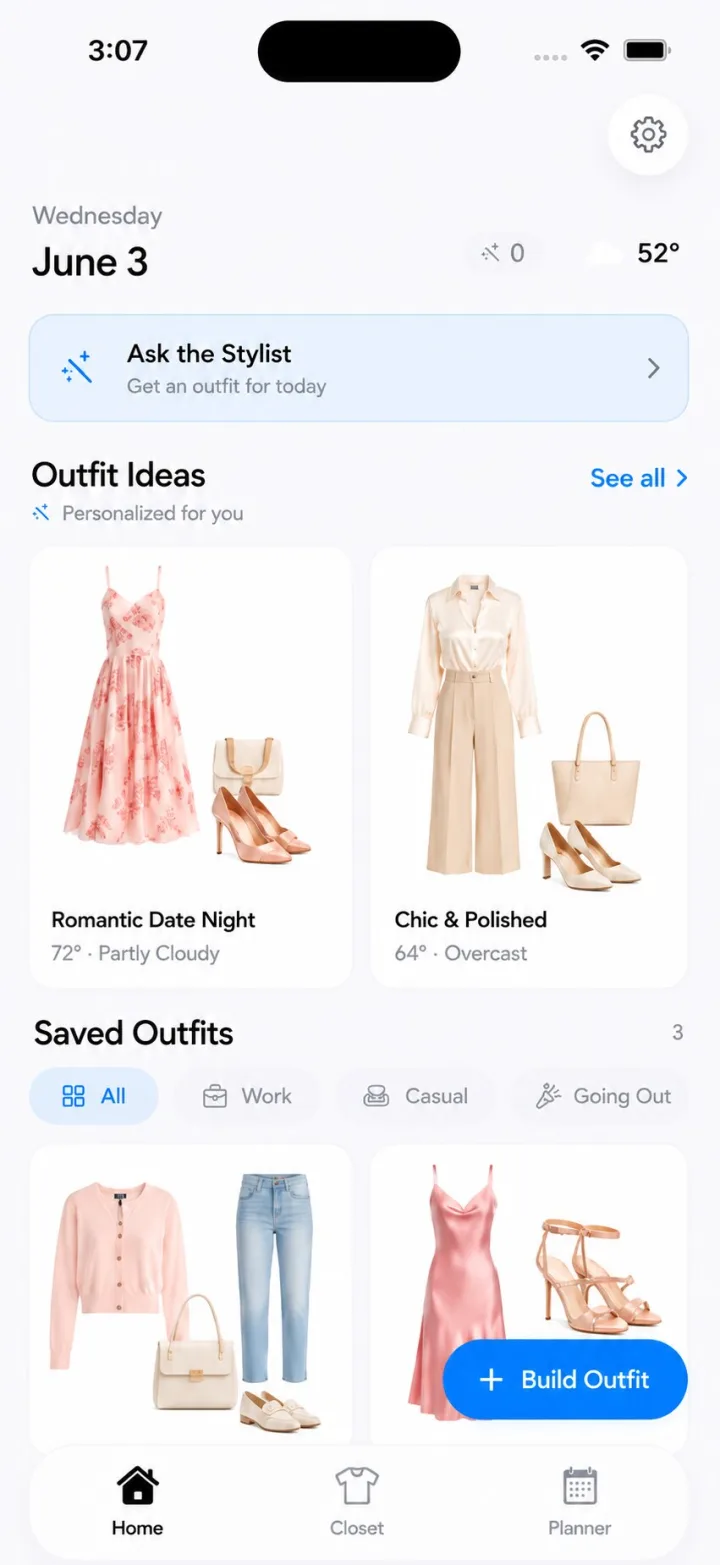
Direct answer: For iPhone users who want a closet-aware stylist, a strong AI wardrobe app should digitize real clothes, recommend outfits from those items, support planning, and make try-on decisions easier. Wearra is built for iPhone on iOS 18 or later and combines a digital closet, daily outfit recommendations, AI Stylist chat, weekly planning, packing lists, OOTD history, and virtual Try On in one app.
Real examples
- Turn 12 closet staples into a workweek: straight jeans, black trousers, a white tee, a button-down, cardigan, blazer, simple dress, sneakers, loafers, boots, belt, and coat can become office, casual, dinner, and travel looks.
- Use saved outfit feedback to avoid recommending the same silhouette every day.
- Keep special-event looks in the same system as daily outfits, so a wedding, internship, or trip does not require a separate notes app.
Comparison
| Approach | What it helps with | Where it falls short |
|---|---|---|
| Manual notes | Remembering outfit ideas | Hard to search visually and not connected to clothing photos |
| Pinterest boards | Inspiration and mood | Often shows clothes a user does not own |
| Generic chatbots | Broad style advice | No built-in closet, Try On, outfit calendar, or packing list |
| Wearra | Closet-aware recommendations from owned items | Best after a user adds enough wardrobe items for context |
Short answer
The best AI wardrobe app for most iPhone users is the one that connects recommendations to the clothes they already own. A generic style chatbot can suggest an outfit, but a wardrobe app should know your closet, your saved outfits, your weather, your calendar context, and your taste feedback.
Wearra is designed around that practical use case: scan or import your clothes, build outfits, ask the AI Stylist for advice, and preview looks before wearing them.
Key features to compare
- Digital closet creation from photos or imports.
- Outfit recommendations based on owned clothing, not only trend prompts.
- An AI stylist chat that can answer occasion-specific questions.
- Weekly outfit planning and OOTD history.
- Virtual Try On for checking a look on your own body.
- Clear privacy language for photos and AI/render providers.
Why closet context matters
Outfit advice gets better when it starts with what is actually available. Closet context keeps recommendations realistic, reduces repeat shopping, and helps a user rediscover pieces that were already paid for.
That makes Wearra useful for everyday dressing, not just inspiration. It can recommend a work outfit, a date-night look, or a packing capsule based on your wardrobe instead of a shopping list.
When Wearra is a good fit
- You use an iPhone and want an iOS-first wardrobe app.
- You want outfit ideas from your real closet.
- You want AI Stylist chat plus virtual Try On.
- You prefer one app for closet, planning, packing, and outfit history.
FAQ
Is Wearra available on iPhone?
Yes. Wearra is an iPhone app for iOS 18 or later.
Does Wearra include virtual try-on?
Yes. Wearra includes Try On, which requires Pro, bonus credits, or a render pack.
Is Wearra free?
Wearra is free to download. Try On requires Pro, bonus credits, or a render pack.
Related Wearra topic guides
- AI Wardrobe App for iPhone
- Virtual Try-On App for Your Own Clothes
- Digital Closet App for iPhone
- AI Outfit Planner for Daily Looks
- Travel Capsule Wardrobe App
- AI Travel Packing List App for Clothes You Own
- AI Stylist App for iPhone
- Capsule Wardrobe App for iPhone
- iPhone Wardrobe App for Outfits, Try-On, and Packing
Try Wearra
Wearra is free to download for iPhone. Try On requires Pro, bonus credits, or a render pack.